As an Amazon Associate I earn from qualifying purchases. It doesn’t cost you anything extra, and it helps keep this site going.
Here’s a gift idea that fits in a stocking and keeps working when the internet doesn’t: all of Wikipedia, on a little computer smaller than a deck of cards, running off a battery pack.
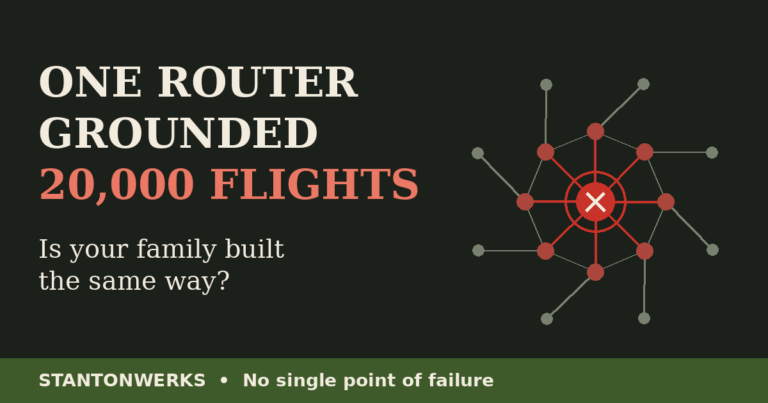
I spent about thirty years around fiber networks and data centers. I’ve seen how much of our daily life runs through a few big systems, and how fast things stop when one of them hiccups. This month alone we had outages that grounded flights and locked people out of their banks. When the internet goes down, so does the answer to “how do I fix this?”
An offline library fixes that. It’s one of the projects I talk about in The Resilience Trilogy: What My Grandkids Need to Know, and it makes a great gift for the prepper, the grandparent, or the curious kid in your family.
How It Works
The heart of it is a Raspberry Pi, a tiny, low-power computer, running a free program called Kiwix. Kiwix lets you download all of Wikipedia (and other references, like medical guides and how-to sites) and read it with no internet connection at all.
The best part: the Pi doesn’t need its own screen. It makes its own little Wi-Fi network. Everyone in the house connects with their own phone or tablet and browses Wikipedia in their web browser, just like normal. One box serves the whole family.
Why a Raspberry Pi 4?
The newer Pi 5 is faster, but for this job the Pi 4 is the smarter pick. Serving up Wikipedia pages doesn’t take much power. The Pi 4 sips less electricity, so your battery lasts longer, and it runs happily off an ordinary power bank. It usually costs less, too.
The Stocking Kit
- Raspberry Pi 4 Model B (4GB): the little computer itself. 2GB works too.
- A case with a fan: protects it and keeps it cool.
- A 32GB high-endurance microSD card: holds the operating system. “High endurance” cards hold up better than regular ones.
- A 256GB or larger USB SSD: holds the library. Full English Wikipedia with pictures is over 100GB, so 256GB leaves room for a few extras. Go with 512GB if you want movies, maps, and the other libraries below.
- A Pi 4 wall power supply: for everyday use at home.
The Under-the-Tree Power Kit
An offline library is only useful if you can keep it running when the power’s out. These three keep it going for days:
- A 20,000mAh power bank with USB-C: look for one that puts out 3 amps on USB-C. A small 6,000mAh pack only lasts a few hours.
- A folding solar panel with USB output: recharges the power bank during the day. In Las Vegas we’ve got plenty of sun.
- A hand-crank emergency radio: a radio, flashlight, and phone charger in one, for cloudy days.
Loading the Library
Kiwix is free. You can download Wikipedia and other content yourself from the Kiwix library, or buy Kiwix’s ready-made “Preppers” content bundle, which comes as an image you load onto the card. Do the setup while you still have internet, and test it before you wrap it.
More Than a Library: A Disaster Box
Once you have the little computer and the power kit, you can grow it into a full disaster box. A few things you can add:
- Offline maps: the free Organic Maps app lets you download your whole state onto a phone or tablet ahead of time, so you can find your way with no cell service.
- GPS: the Pi doesn’t have GPS built in, but a small USB GPS receiver plugs right in and tells you exactly where you are, even with no towers working.
- First aid, how-to, and repair guides: Kiwix also has offline libraries you can load right alongside Wikipedia: WikiMed for medical questions, wikiHow for step-by-step guides, and iFixit for repair manuals.
- Weather and emergency radio: a small USB SDR radio dongle turns the box into a radio receiver that can pick up NOAA weather broadcasts.
- Important papers: keep copies of IDs, insurance policies, deeds, and medical records in an encrypted folder, so you have them if you ever have to leave home in a hurry.
- Family messaging: pair it with a Meshtastic radio and your family can text each other with no cell service at all.
- A protective pouch: store the box, cables, and add-ons together in a Faraday bag so everything is in one place, ready to grab.
- Movies and books for the kids: load up some family movies and e-books for the long nights.
Not a Tinkerer? Use an Old Laptop or Tablet
Honestly, for a lot of families a cheap used laptop or Android tablet does the same job with no building at all. Install the free Kiwix app, download Wikipedia, and you’re set. A laptop also plays movies for the kids during a long outage, and most tablets have GPS built in. The Pi wins on size and battery life; the laptop wins on convenience. Either one beats having nothing.
The Bottom Line
Most stocking stuffers are forgotten by New Year’s. This one could be the thing your family reaches for the next time the lights go out and the phones say “no connection.” That’s the whole idea behind The Resilience Trilogy: simple, practical things that keep working when the big systems don’t.
Want more off-grid ideas? See my Meshtastic gear page for keeping your family in touch with no cell service.